This guide shows how to add a Non-Borrowing Owner (NBO) or TPR to a loan file in Encompass (EPC), and how to change their name or email afterwards. It is for anyone preparing a file for closing who needs the NBO/TPR on the closing package.
⚠️ Note: We recommend to always use a unique email address for the TPR/NBO when adding the individual to the closing. The will resolve a lot of confusion regarding the emailed tasks that are sent to complete for closing types such as Hybrids.
In this guide
Add an NBO/TPR to the closing
Change an NBO/TPR's information
1. Add an NBO/TPR to the closing
Place the file into Draft.
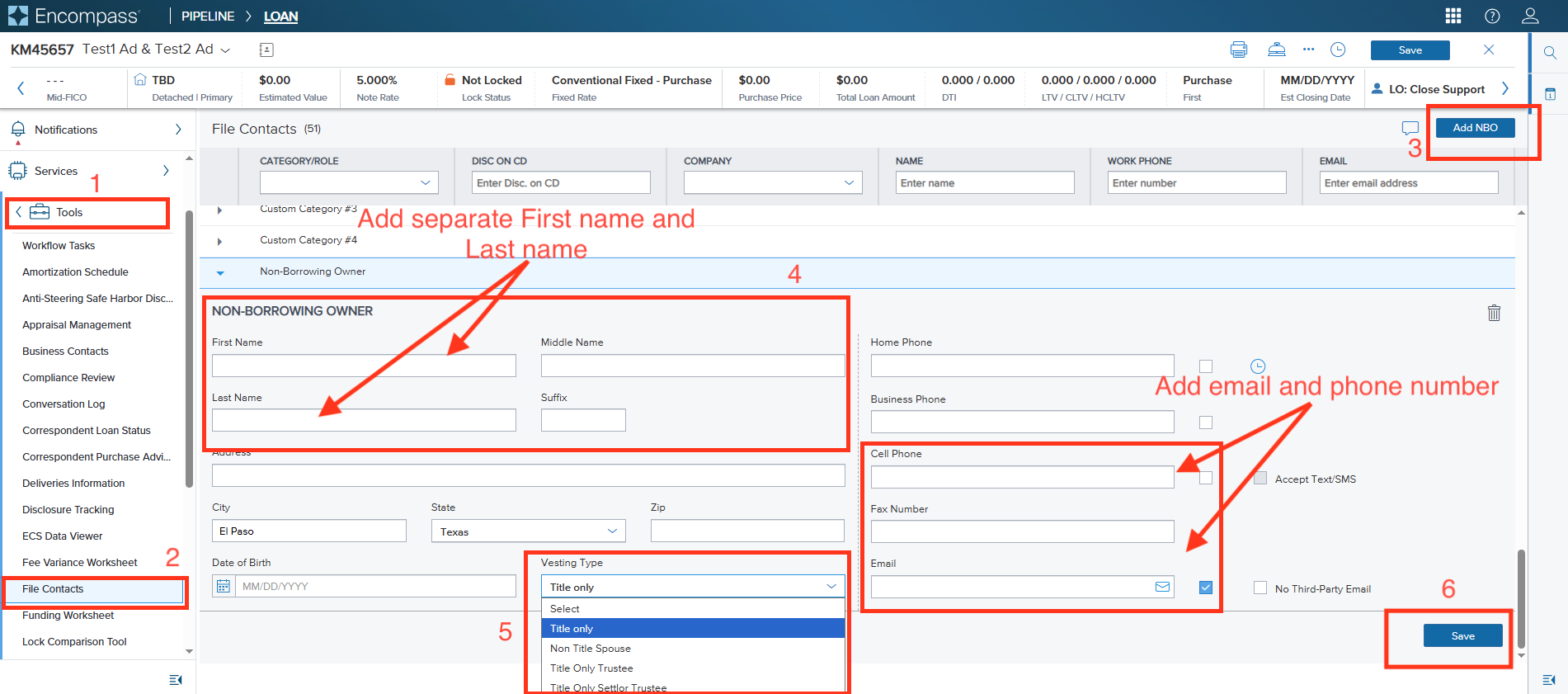
Click Tools in the left-hand menu.
Click File Contacts.
Click Add NBO at the top right of the File Contacts page. A Non-Borrowing Owner section opens below.
Enter the NBO's details: first name, last name, and email address. Add a phone number if you have one.
Note: enter the first and last name in their own separate boxes. Do not put both in one field.
Set Vesting Type to "Title only" from the dropdown.
Click Save, then regenerate the docs if required.
Send or resend the package to Blend.
2. Change an NBO/TPR's information
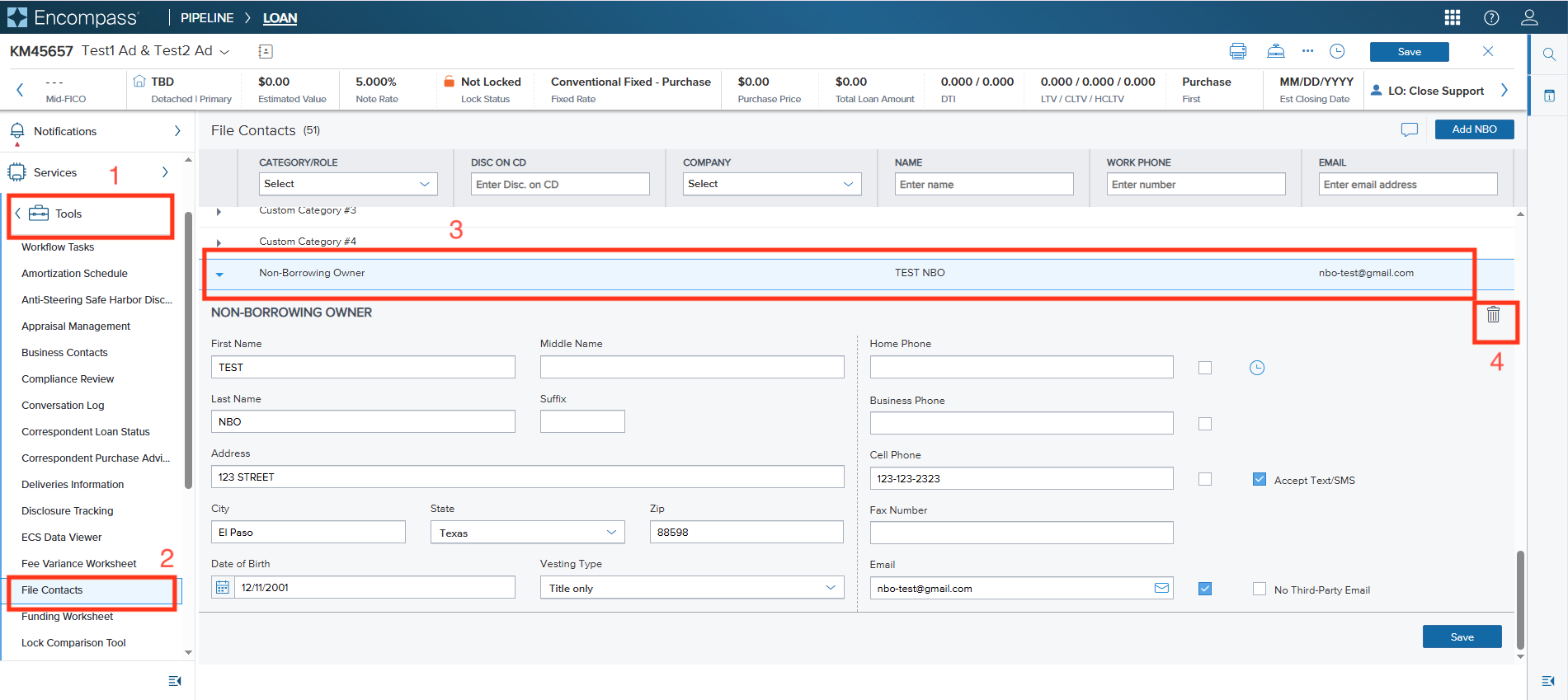
Click Tools in the left-hand menu.
Click File Contacts and scroll down to the NBO/TPR.
Delete the contact using the trash (delete) icon at the top right of the NBO's section.
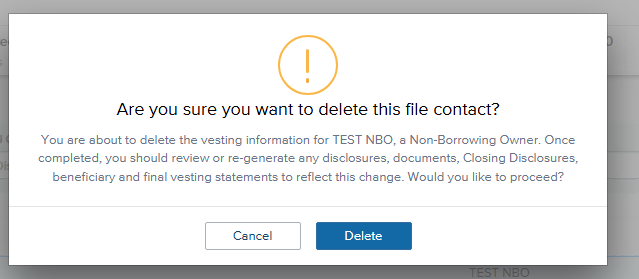
Click Delete in the confirmation pop-up that appears.
Note: the pop-up warns that after deleting, you should review or regenerate any disclosures, documents, Closing Disclosures, beneficiary and final vesting statements.
Add the TPR/NBO back in File Contacts with the corrected details. Follow steps 4 to 7 in section 1.
Regenerate the docs.
Resend the package to Blend.
Please do note hesitate to reach out to Blend Close Support if you have any questions or run into issues when adding/editing a Non-Borrower Singer at support@blendclose.com.
Was this article helpful?
That’s Great!
Thank you for your feedback
Sorry! We couldn't be helpful
Thank you for your feedback
Feedback sent
We appreciate your effort and will try to fix the article